
How to Export a Product Feed from Lengow
You can audit any product feed generated by Lengow using SharpFeed.
Lengow does not optimize your feed : it only generates and distributes it. SharpFeed helps you go further by identifying SEO issues and performance gaps in the structure and content of the feed.
1. Log in to your Lengow account
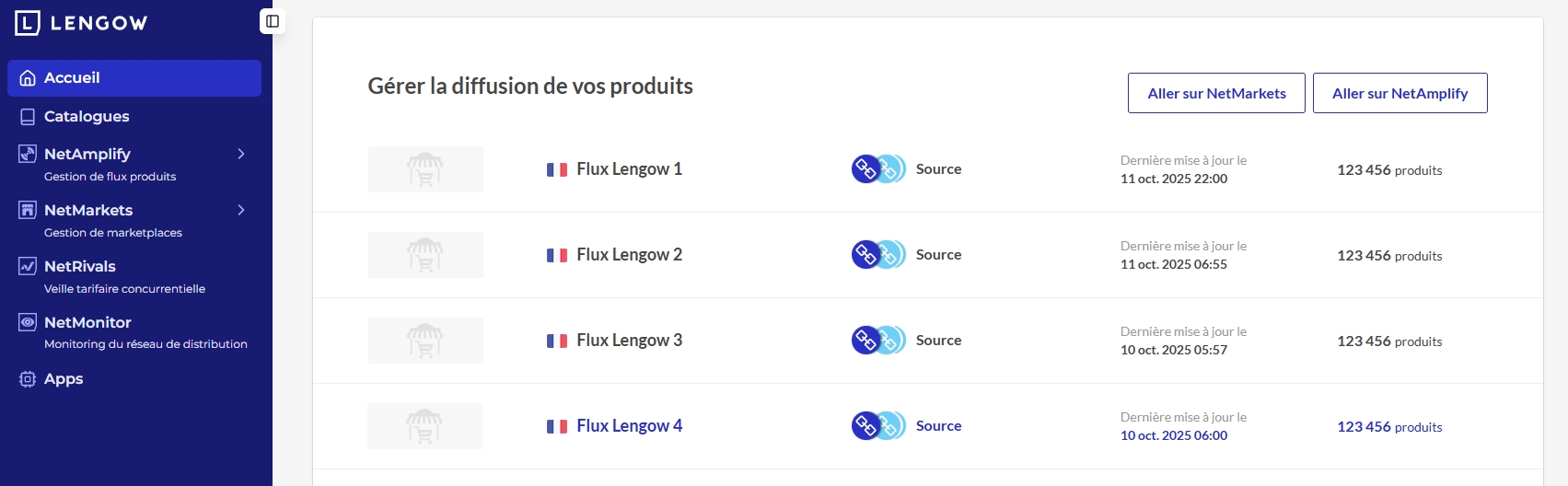
Once logged in, go to the NetAmplify > Canaux / Feed section or directly click on one of your feed displayed on the home page.
You will see a list of your feeds configured for various channels (like Google Shopping).
2. Click on the feed you want to download
Select your feed (e.g., “Flux Lengow 1”).
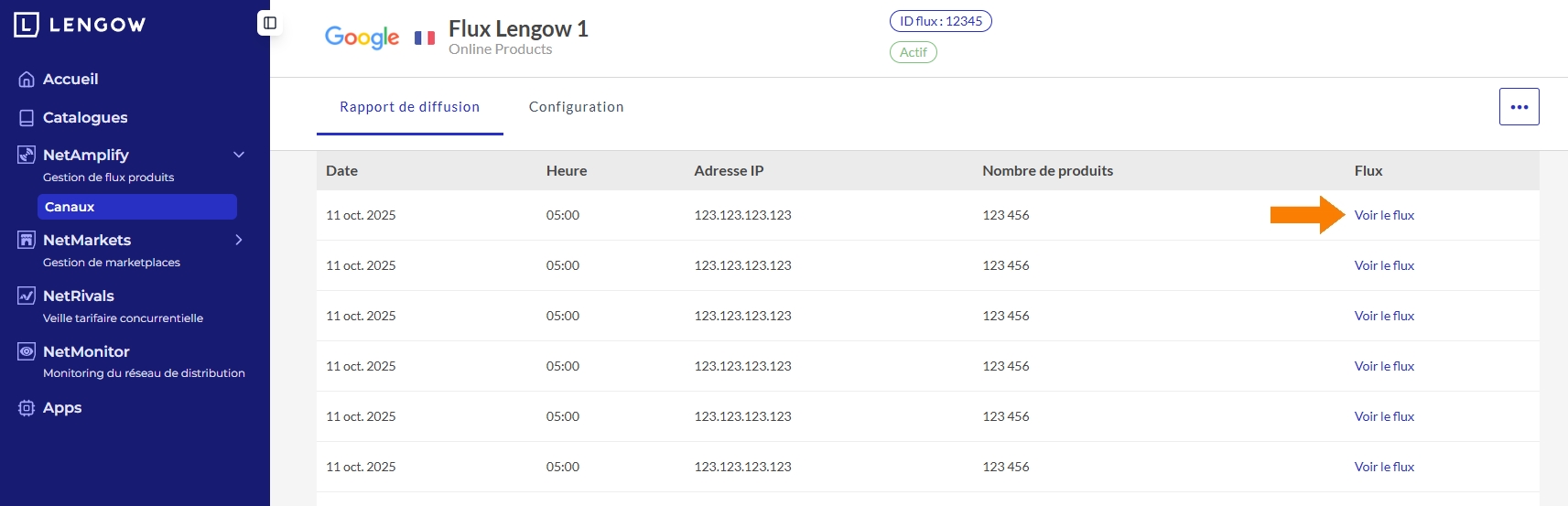
You’ll be redirected to a feed report page with detailed history of exports.
3. Download the feed
From the “Rapport de diffusion” tab, click on “Voir le flux” next to the latest export.
This will directly download the file (usually a .xml or .txt format).
4. Upload to SharpFeed
Now that you’ve downloaded the raw feed file, go to SharpFeed App and upload the file for analysis.
SharpFeed supports .xml, .csv, and .txt formats.
Need more help?
Our team is here to assist. Reach out and we’ll get back to you fast.
Contact Support