
How Export a Product Feed from Channable
Channable is a powerful feed manager, but its built-in feed audit is limited and primarily SEA/paid-oriented.
SharpFeed is designed for Next-Gen SEO and organic performance: it checks every Google and ChatGPT rules on your feed in order to boost you visibility in Free Listings and ChatGPT Shopping answers.
This guide shows how to download your feed from Channable as CSV so you can upload it to SharpFeed.
1. Open your project in Channable
- Log into Channable and go to the main Projects page.
- Click the project that contains the products you want to audit.
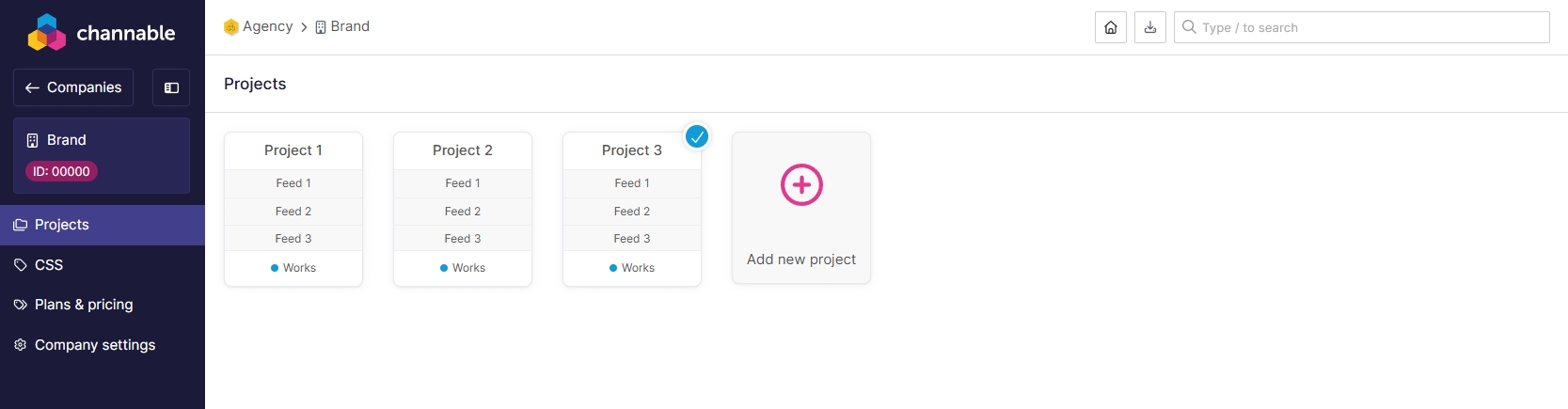
If you manage multiple shops/markets, repeat these steps for each relevant project.
2. Go to “Setup”
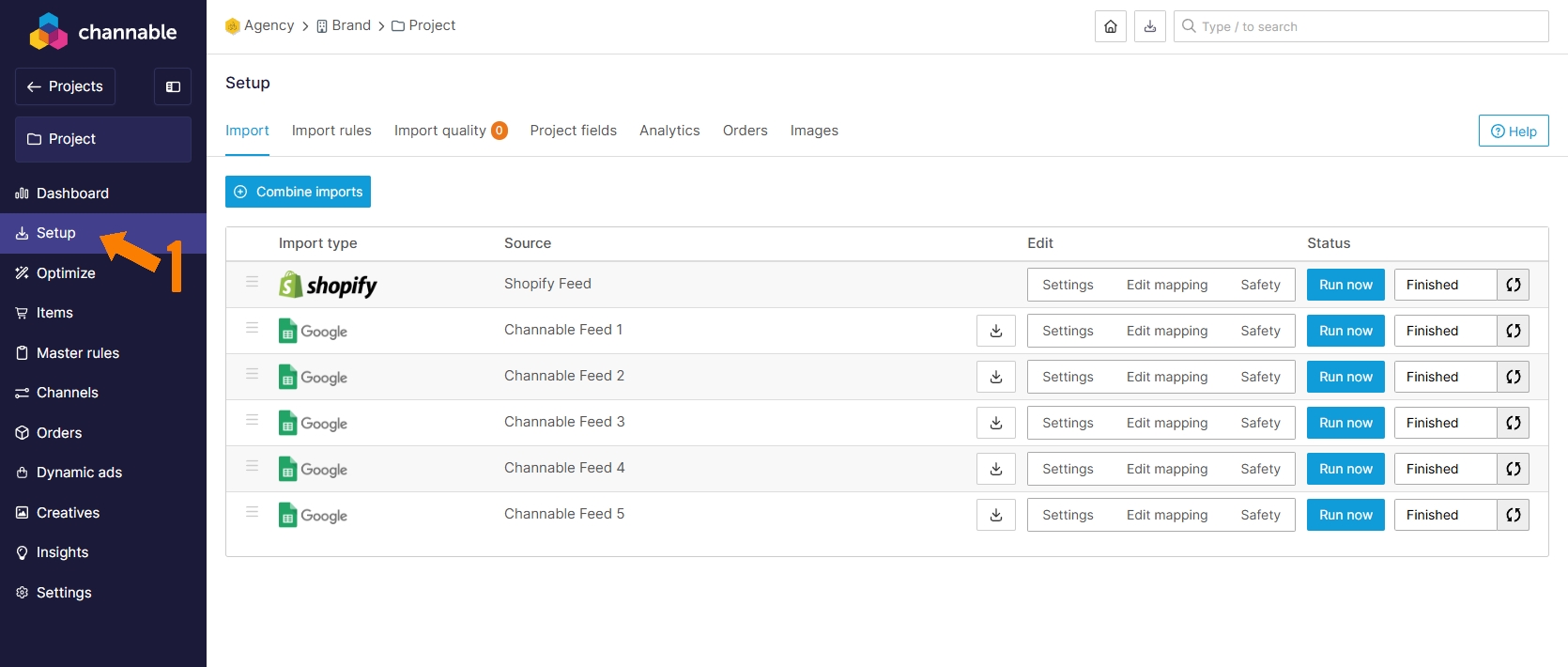
Inside your project, open the left sidebar and click Setup.
You’ll see a list of feeds you’ve configured (often one per market or channel), each with its own rules/mappings.
- These entries represent your finalized outputs (after Channable rules).
- Choose the one you want to audit (e.g., “Google Shopping FR”, “Google Shopping DE”, etc.).
3. Download the CSV feed
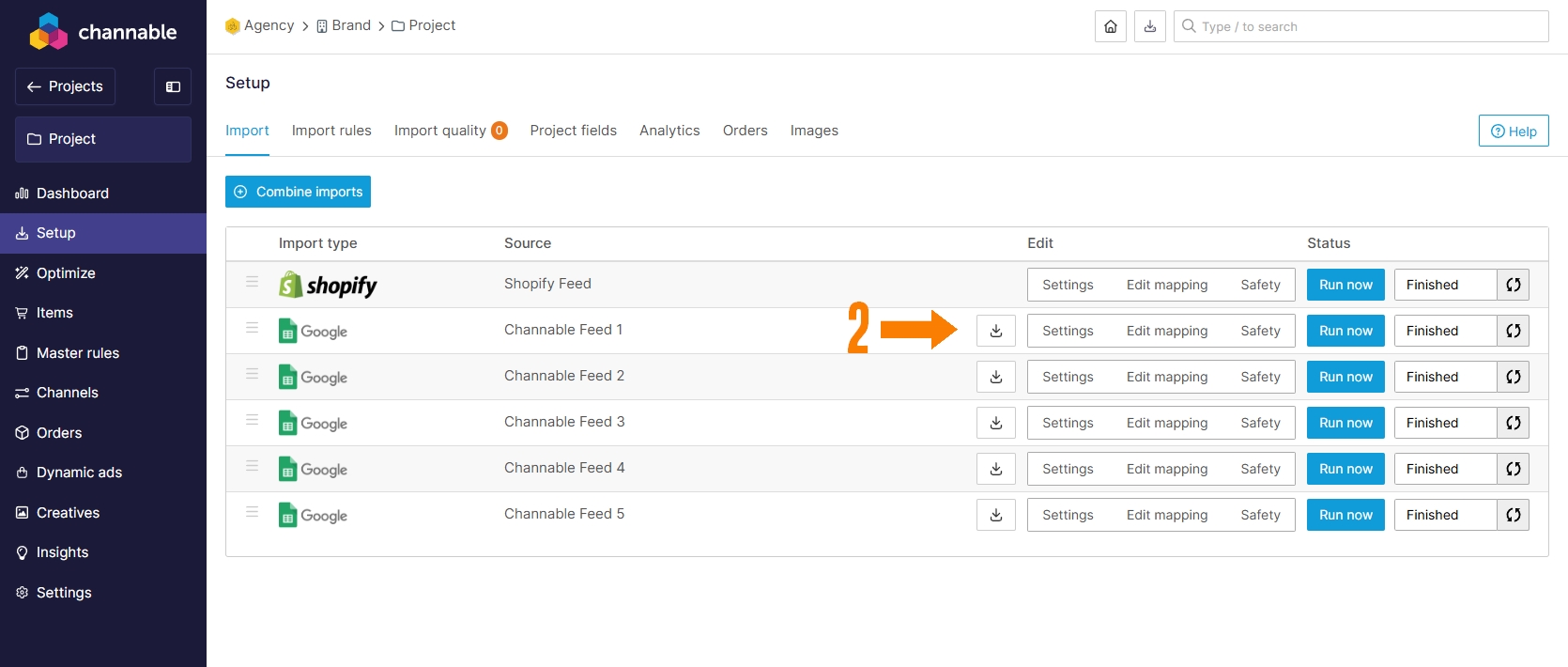
In the feeds list, locate the row you want.
Right after the Source column, you’ll find a Download feed button.
- Click Download feed → choose CSV if prompted.
- Save the file locally (e.g.,
channable_google_fr_2025-10-13.csv).
CSV is the perfect format for SharpFeed. We support
.csv,.txt(tab-delimited), and.xml, but CSV is the fastest to process for ad-hoc audits.
4. Upload to SharpFeed
Head to your SharpFeed dashboard:
- Drag & drop your CSV file or click Upload Feed to select it.
- (Optional, Pro/Business) Enable Check product URLs (HTTP status) to catch broken/redirected links.
- SharpFeed will parse your file and show your audit results with KPIs and detailed issues.
Why audit in SharpFeed if Channable already has checks?
Channable’s health checks are handy but oriented toward paid ads and channel output constraints.
SharpFeed focuses on organic performance and SEO impact, with checks such as:
- Missing or thin titles and descriptions
- Invalid price format (e.g., missing currency)
- GTIN/MPN completeness and cross-field logic
- Color/size formatting issues (e.g., commas in color values)
- Length requirements and min-length for key attributes
- Organic impact vs. Required vs. Feed accuracy categorization for clear prioritization
- ChatGPT Requirements compliance
- Built-in IA Feed Optimization (Product category, products name, completion of empty fields)
Use both: Channable for feed building & distribution + SharpFeed for deep organic optimization.
You’re ready to export from Channable and audit in SharpFeed.
Run your first audit now and spot the biggest organic wins in minutes 🚀
Need more help?
Our team is here to assist. Reach out and we’ll get back to you fast.
Contact Support