

The introduction of free listings products grids on Google has completely changed how eCommerce brands approach visibility.
With thousands of new sellers entering Google Shopping every day, standing out now depends on one thing: feed optimization.
This guide will walk you through what the Google Merchant Center is, how to set up and optimize your feed, and how SharpFeed helps you turn your product data into a growth engine for free listings.
1. What Is Google Merchant Center?
The Google Merchant Center (GMC) is the platform where merchants upload and manage their product feeds.
Your feed includes structured data such as titles, descriptions, prices, and images which Google uses to display your products across Search, Shopping, YouTube, and other partner networks.
Once your feed is verified and approved, your products can appear in both free listings and paid Shopping Ads.
Quick note: Since 2020, it’s been free to list products in Google Shopping. Paid ads remain optional, but optimized feeds are essential for both organic and paid visibility.
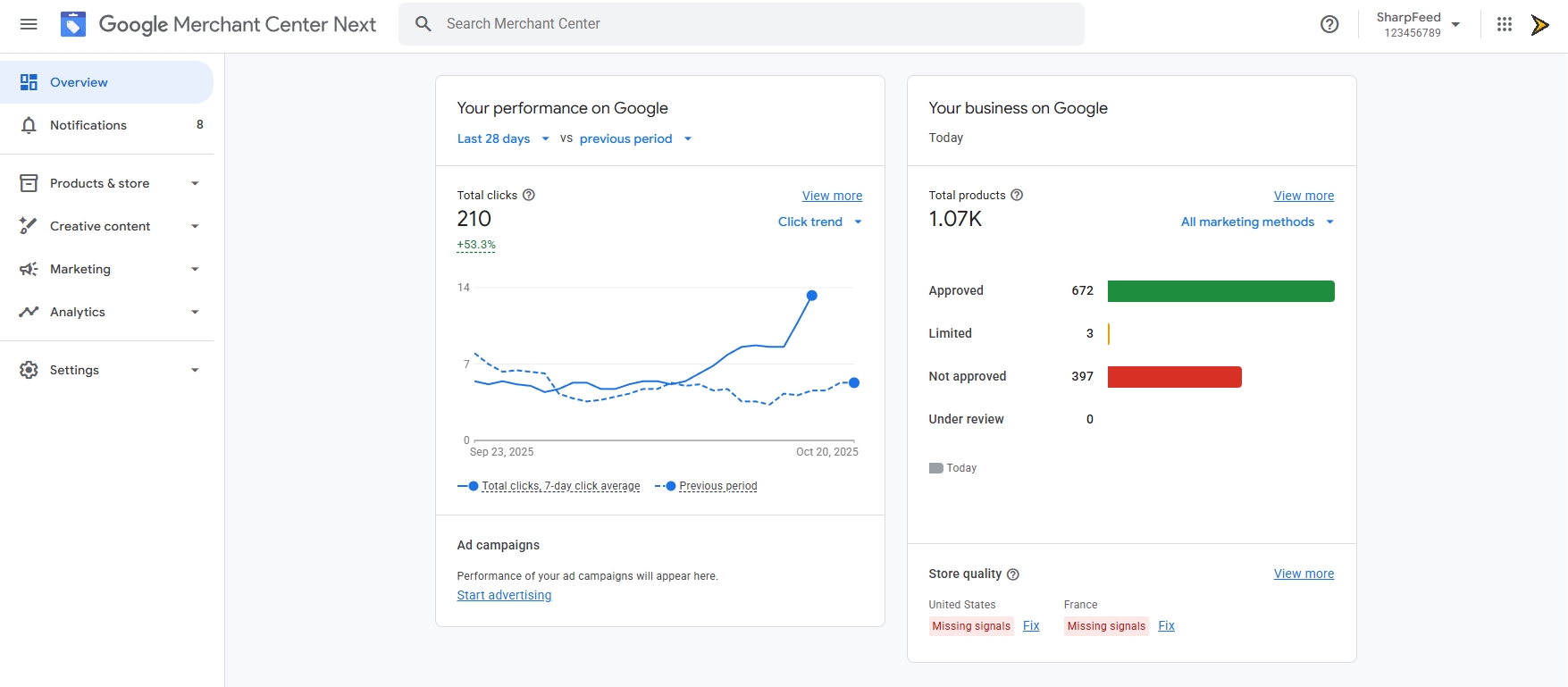
Home page of Google Merchant Center Next : Where the magic happen
2. How Google Merchant Center Works
To get started, you’ll need to:
-
Create a Merchant Center Account
Go to business.google.com/merchant-center and create your account.
Add your business info, verify your domain, and accept Google’s terms. -
Set Up Policies and Shipping Info
Define your shipping methods, taxes, and return policies. Google uses this data to display accurate details to users. -
Upload Your Product Feed
Navigate to Products → Feeds → + Add primary feed.
Choose your target country, language, and upload method (manual file, scheduled fetch, or API). -
Monitor Diagnostics
After upload, Google validates your data. Fix errors and warnings in the Diagnostics tab to ensure all items are eligible for display.
3. Building an Activable Feed
A high-quality feed starts with accurate, structured, and up-to-date data.
Here are the required fields for every product:
id— Unique product identifiertitle— Clear and keyword-rich product namedescription— Detailed and natural-language explanationlink— Product page URLimage_link— High-quality image (no watermarks)price— Include currency code (99.99 USD)availability—in_stock,out_of_stock, orpreorderbrand,gtin,mpn— Recommended for trust and match accuracy
Pro Tip: Regularly review your feed’s health in Google Merchant Center. Even a single missing field can prevent products from showing up in free listings.
4. Feed Optimization Best Practices
| Field | Description | Optimization Advice |
|---|---|---|
| title | Main product name | Include brand, color, size, and keywords users search for. |
| description | Full details | Use natural language, emphasize benefits, and keep it clear. |
| image_link | Product image | High-resolution, plain background, and accurate representation. |
| availability | Stock status | Keep it up to date — inaccurate data reduces visibility. |
| price | Product price | Match website and currency; avoid discrepancies. |
| gtin / mpn | Product identifiers | Always include them when available — they improve ranking. |
SEO Insight: Google Shopping is driven by structured data. The clearer and more complete your feed is, the more exposure your products receive.
5. Free Listings Optimization: Boosting Organic Visibility on Google
Free listings allow your products to appear at no cost across Google including Search, Images, Maps, YouTube, Lens, Gemini, and the Shopping tab. To maximize this visibility, your feed must meet Google’s quality and accuracy standards.
Focus on completeness, freshness, and consistency between your feed and your online store. Every attribute from title, price, and availability to gtin, brand, and shipping helps Google match your listings with relevant user searches.
To improve your performance in free listings:
- Provide rich, structured product data. Include as many recommended attributes as possible (color, size, condition, multipack, bundle, etc.). You can find an exhaustive list in SharpFeed’s Documentation
- Use high-quality images. Blurry, watermarked, or mismatched photos reduce eligibility, visibility and click-through rate.
- Maintain real-time accuracy. Prices, stock, and shipping details should update automatically through scheduled fetches or API delivery. (Detected mismatch will trigger a strike from Google)
- Optimize your product titles and descriptions. Prioritize clarity, brand name, and search intent.
- Link your Merchant Center to your Business Profile. This increases trust and visibility across surfaces like Google Maps.
Pro Tip: A well-optimized free listing feed acts like SEO for products, helping them appear in organic placements where potential buyers are already searching.
6. Merchant Center Optimization: Build Trust and Data Quality
Optimizing your Merchant Center account goes beyond the feed itself, it’s about creating a complete and trustworthy merchant profile. Google’s systems evaluate not only product data, but also the credibility and transparency of your business.
To strengthen your Merchant Center quality signals:
- Complete all account information. Include your official business name, verified website URL, and a consistent physical address.
- Add shipping and return policies. Clearly define delivery costs, methods, and return windows in both your feed and your site.
- Ensure website and feed alignment. Product pages must display the same prices, variants, and stock status as your feed.
- Maintain a high account quality score. Regularly review warnings and disapprovals in the “Diagnostics” and “Free listings” tabs.
- Keep merchant reputation high. Respond to customer feedback and follow Google’s free listing policies and aim for the Top Quality Store badge.
Insight: By completing and maintaining these elements, you boost your trust level, eligibility, and ranking potential across Google’s free and paid placements ensuring your products stand out to both users and algorithms.
7. Why Merchant Center Feed Quality Matters for Free Listings
Even if you don’t run paid Shopping Ads, feed quality directly impacts your visibility in organic Shopping results.
Google’s algorithm favors complete, consistent, and well-structured data.
Products missing identifiers, with inconsistent prices or low-quality images, often get fewer impressions even if technically approved.
A great feed is not just compliant it’s optimized for performance and discoverability.
An SEO free listings oriented strategy can be to add a supplemental source to your primary feed with optimized attributes like titles, descriptions, products highlights… to boost your free listings performance.
8. How SharpFeed Helps You Optimize for Google Shopping
If you already export a feed for Google Merchant Center, SharpFeed can take it further.
- Detect missing or invalid fields
- Analyze title and description quality
- Flag inconsistencies (price, currency, stock)
- Check image URLs and schema formats
- Check for dead links (non HTTP 200)
- Provide actionable SEO recommendations for free listings
You can upload your feed in CSV, TXT, or XML format, and SharpFeed instantly audits and scores it helping you fix issues before they affect visibility.
By using IA, SharpFeed can also help you improve your feed quality by optimizing key attributes through a complete optimized feed or supplemental feeds for Google Merchant center.
Start optimizing your Google Shopping feed now
9. The Future of Shopping Feeds and GEO
As Generative Engine Optimization (GEO) evolves, product feeds will increasingly power AI discovery across both Google and ChatGPT ecosystems.
Clean, optimized data will remain the backbone of visibility in this AI-driven commerce landscape.
Merchants who master feed optimization today will dominate tomorrow’s organic product discovery channels.
⚡ Final Takeaway
Optimizing your Merchant Center feed is no longer optional it’s the foundation of visibility in free listings and beyond.
Make your feed clean, structured, and conversationally relevant, and let SharpFeed help you keep it that way.
Sources :
Google - Tips to optimize your product data
Google - About Top Quality Stores